Everything in this guide, GROW does for you. Here is how each step works in the platform, in the order you would use it.
1. Setup Assistant
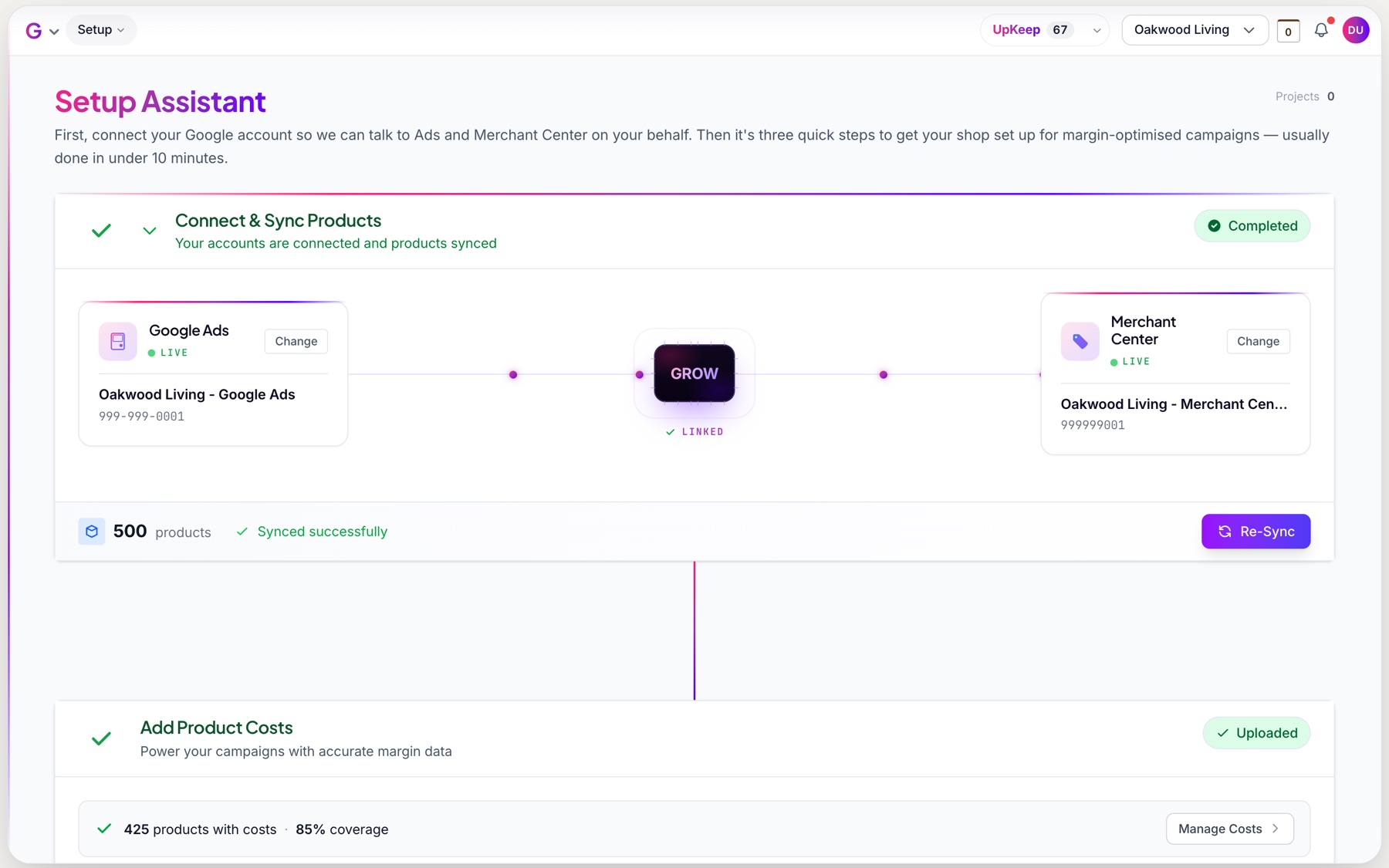
This is how you get started. Connect your Google Ads and Merchant Center accounts, and GROW syncs your products down, with their prices, brands and categories. You can schedule the sync to run daily or weekly, so new products and price changes come through on their own. Then the Setup Assistant walks you through adding your costs and creating your campaigns.
2. Cost tracking with MarginStackTM
This is how you upload your costs. Download a CSV of every product with a column for each cost, fill it in and upload it back. Or connect a Google Sheet, or map the columns from your own spreadsheet. The coverage panel shows how much of your catalogue has each cost, so you know what is left to add.
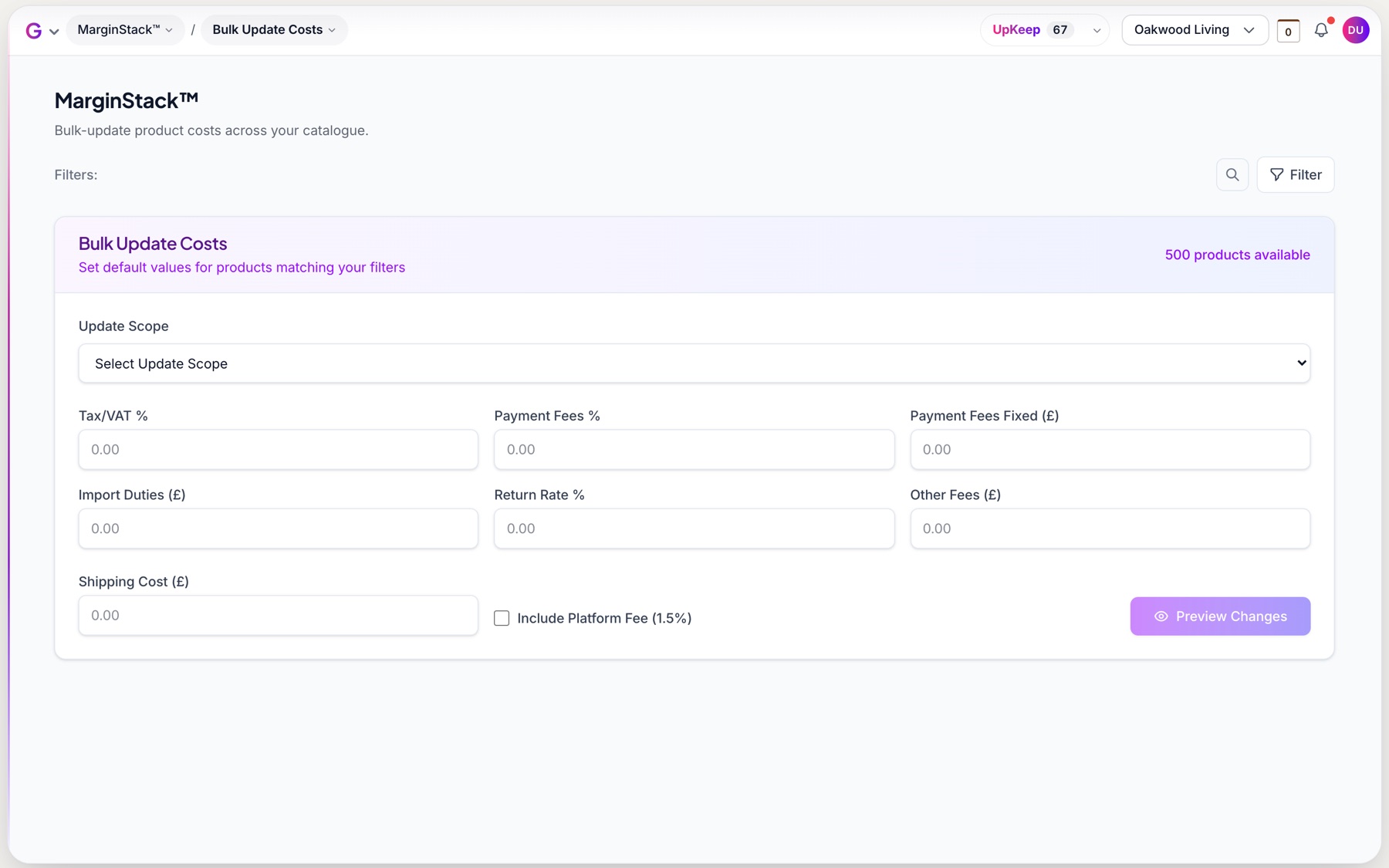
Don’t have a cost for every product? Bulk update sets a default value, like a payment fee or returns rate, across all of your products, or only the ones that are missing it.
3. Margin calculation
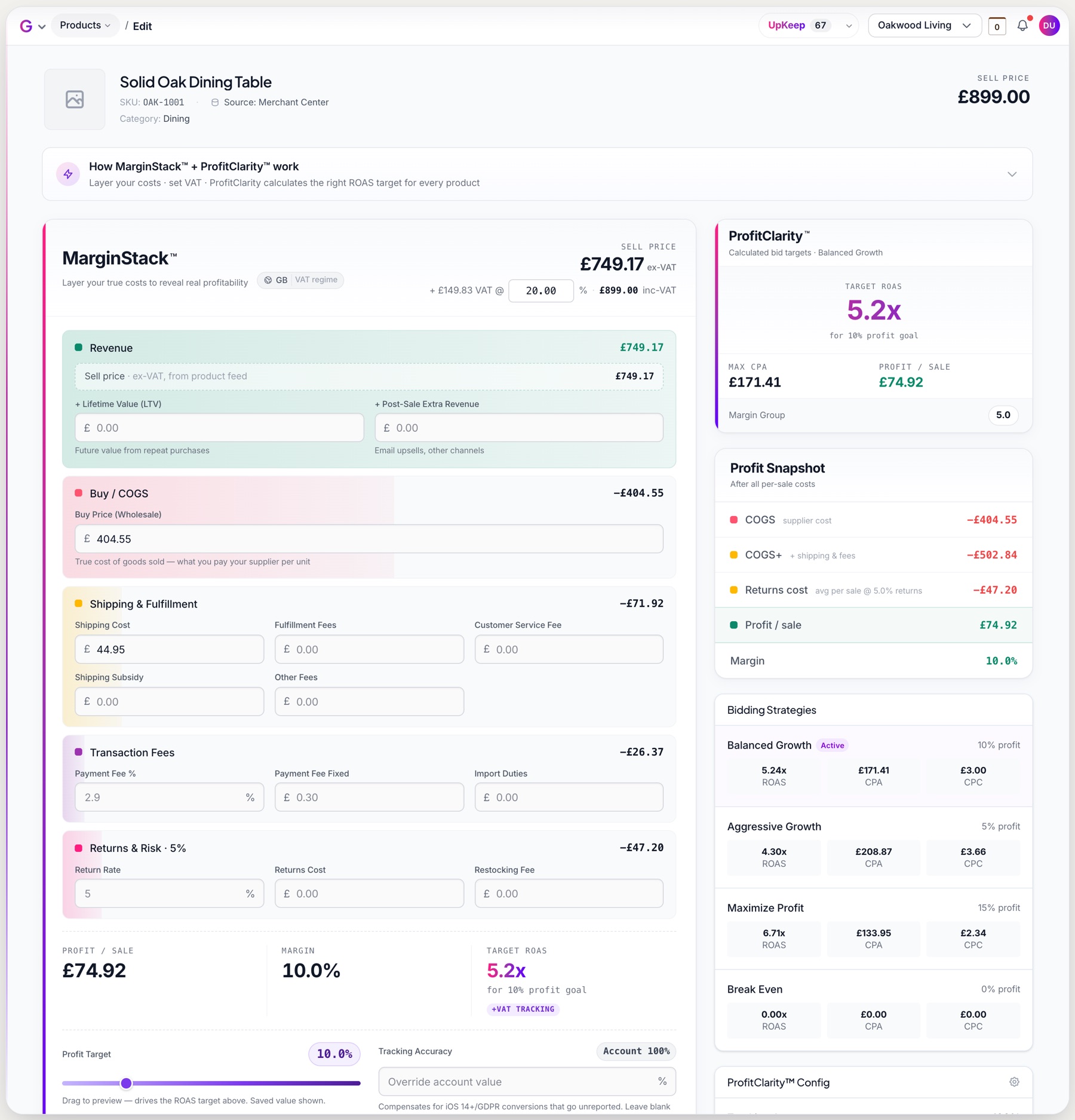
This is how you see your true margin. Open any product and its MarginStackTM lays out every layer of cost, from the selling price without VAT down through purchase price, shipping and fulfilment, transaction fees and returns, to profit per sale and margin. Change a cost and every figure updates as you type.
4. Profit target percentage
This is how you decide what to keep. Set one profit target for your account, then override it for any product that needs something different. The slider shows the new profit per sale before you apply it.
5. ROAS bid calculation
This is how every product gets its bid. ProfitClarityTM calculates the target ROAS, max CPA and CPC bid for every product from its costs and profit target, for all four strategies, so you can see the trade-off before you switch.
6. Campaign automation
This is how your structure gets built. The Campaign Assistant checks your account, recommends single product ad groups, margin group Performance Max campaigns or both, segments your catalogue and creates the campaigns as drafts for you to review and publish.
7. Automated upkeep
This is how it stays right. When your costs or prices change, GROW recalculates the bids for every product affected and queues the changes in UpKeep. Approve them yourself, or let them apply automatically, and GROW pushes them to Google Ads for you.
Ready to put profit bidding on autopilot?
Everything in this guide, automated end to end.