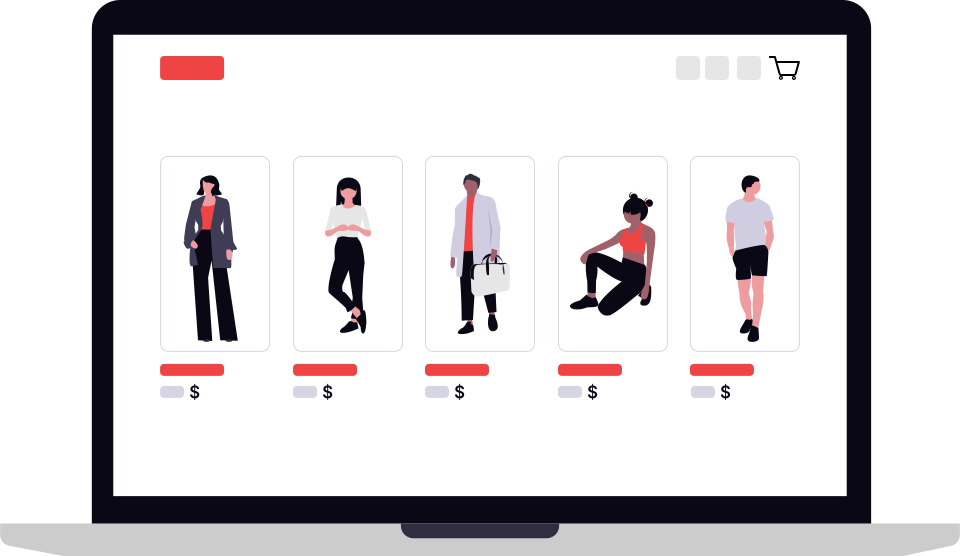
The State of Google Shopping in 2026
Google Shopping remains the highest-intent advertising channel for e-commerce. When a shopper clicks a Shopping ad, they have already seen the product image, price, and brand — they are comparing options and ready to buy. No other channel delivers this combination of intent, visual format, and purchase-ready traffic at scale.
But the landscape has shifted dramatically. Five years of CPC inflation, tracking deterioration, and algorithm changes have made profitability harder. Brands that win today are not the ones spending the most — they are the ones with the most accurate cost data, the best tracking infrastructure, and the most disciplined approach to per-product economics.
The combination of rising costs, data loss, and increased competition means that average approaches produce average — or negative — results. The brands winning in 2026 share four characteristics:
- Accurate, product-level cost data powering every bid decision
- First-party tracking infrastructure recovering lost conversions
- Automation handling complexity at catalogue scale
- Clear profit targets replacing vanity ROAS metrics
Per-Product Economics Beat Portfolio ROAS
The brands winning on Shopping today are not spending more — they are spending smarter. A blanket 4x ROAS target treats every product identically. But a 70% margin product can be profitable at 2x ROAS, while a 25% margin product needs 8x ROAS to break even. Per-product economics, applied at scale, is the fundamental competitive advantage.
The Rising Cost Problem
Google Shopping CPCs have increased year-over-year for the past five years. In 2026, average Shopping CPCs are 74% higher than 2022 levels. Conversion rates have not kept pace — they have declined. The result is a cost-per-acquisition that has more than doubled in four years.
The Margin Squeeze in Numbers
| Metric | 2022 | 2024 | 2026 | Change 2022–2026 |
|---|---|---|---|---|
| Average Shopping CPC | £0.42 | £0.58 | £0.73 | +74% |
| Average Conversion Rate | 2.8% | 2.5% | 2.3% | -18% |
| Cost Per Acquisition | £15.00 | £23.20 | £31.74 | +112% |
| Min. Viable ROAS (30% margin) | 3.0x | 4.0x | 5.0x+ | +67% |
What is Driving Cost Increases
- More advertisers — The DTC boom and marketplace sellers have flooded the auction. More competition for the same searches drives prices up.
- Smart Bidding inflation — Google's automated bidding optimises for conversions, not profit. Algorithms bid aggressively on high-converting products, inflating CPCs for the most valuable inventory.
- Performance Max dominance — PMax campaigns absorb inventory across multiple channels. Less granular control means less ability to manage costs at the product level.
- Premium placement premium — Top Shopping positions now command 2–3x the CPC of lower positions. Consistent visibility requires paying a significant premium.
The Breakeven Trap
Many brands targeting "4x ROAS" are actually losing money once VAT, returns, and operating costs are properly accounted for. A 4x ROAS on a 30% margin product leaves only 7.5p of every £1 revenue for all other costs plus profit. The target ROAS most brands use is not calibrated to their actual cost structure — it is a guess, or it was copied from a competitor.
The Tracking Crisis
Modern browser privacy features, ad blockers, and iOS restrictions have created a data crisis for e-commerce advertisers. The conversions you see in Google Ads are increasingly modelled estimates — not directly observed events. Google now models approximately 70% of conversions for the average advertiser.
What is Causing Data Loss
| Restriction | Impact | Affected Traffic |
|---|---|---|
| Safari ITP | JavaScript cookies limited to 7 days (1 day with link decoration) | 15–25% of users |
| Ad Blockers | All tracking scripts blocked — zero conversion data | 30%+ of desktop users |
| iOS ATT | Only ~35% of iOS users opt in; cross-app attribution broken | 50%+ of mobile users |
| Third-Party Cookie Deprecation | Cross-site tracking eliminated in Chrome and all major browsers | All users |
| VPNs and Privacy Tools | User identity masked, geo-targeting and attribution broken | Growing segment |
The Impact on Smart Bidding
Google's Smart Bidding relies on conversion signals to make bid decisions. When 30–40% of conversions are unobserved, the algorithm operates blind:
- Undervalued products — High-converting products appear to convert less frequently, receive lower bids, lose impressions
- Misallocated budget — Spend goes toward products that happen to be trackable, not products that are actually profitable
- Attribution gaps — Multi-touch journeys break; last-click gets credit even when the customer researched for weeks
- Inflated CPA targets — Bidding strategies calibrate to incomplete data, so the real CPA is always higher than reported
The Solution: Server-Side Tracking
First-party tracking via Tag Gateway and CAPI uploads recovers 15–25% of lost conversions. This data feeds directly into Smart Bidding, improving optimisation quality across all campaigns. Server-side tracking is no longer optional — it is the baseline requirement for competing effectively in 2026.
The Power of SKU-Level Bidding
Most brands set a single ROAS target across their entire campaign or ad group, then let Smart Bidding allocate budget across all products within that target. This approach is fundamentally flawed: it ignores the fact that different products have radically different margins, conversion rates, and competitive dynamics.
Why Campaign-Level ROAS Fails
Consider two products, both priced at £100. Product A has a 70% gross margin (£70 profit). Product B has a 30% gross margin (£30 profit). Setting a single 4x ROAS target means:
- Product A — You can afford to spend £25 per sale at 4x ROAS, but actually could spend up to £60 and still be profitable. You are underbidding, losing volume and market share unnecessarily.
- Product B — At 4x ROAS you spend £25 per sale, but your gross profit is only £30. After operating costs, you are breakeven or losing money. You are overbidding.
The solution is per-SKU ROAS targets calculated from actual product margins:
| Product | Price | Gross Margin | Target Net Profit | Max Ad Spend | Required ROAS |
|---|---|---|---|---|---|
| Product A (high margin) | £100 | 70% / £70 | £10 | £60 | 1.7x |
| Product B (mid margin) | £100 | 45% / £45 | £10 | £35 | 2.9x |
| Product C (low margin) | £100 | 25% / £25 | £10 | £15 | 6.7x |
Implementation Approaches by Scale
| Approach | Management Effort | Accuracy | Practical Scale |
|---|---|---|---|
| Manual ROAS targets per campaign | High | Low (stale data) | 10–50 products |
| Margin tier custom labels | Medium | Medium | 50–500 products |
| Single Product Ad Groups (SPAGs) | Very high manually | Good | 100–2,000 products |
| Automated per-SKU (GROW ProfitClarity) | Low | Excellent — live cost data | Unlimited |
Single Product Ad Groups (SPAGs)
The gold standard for Shopping control is a SPAG structure — one product per ad group, which allows a unique bid target per product. This is the approach GROW's Campaign Builder creates automatically. With 500 products, managing 500 ad group targets manually is unrealistic. ProfitClarity calculates and updates these targets automatically whenever your cost data changes.
Performance Max vs Standard Shopping
Google has been pushing advertisers toward Performance Max since 2022. In 2026, PMax accounts for the majority of Shopping spend for many large accounts. But the question of which campaign type performs better is more nuanced than Google's guidance suggests.
Performance Max: Advantages and Limitations
| Feature | Performance Max | Standard Shopping |
|---|---|---|
| Product-level bid control | Not available — portfolio target only | Full control per product/ad group |
| Placement-level reporting | Minimal — channel totals only | Full auction insights, product-level data |
| Cross-channel reach | Shopping, Search, Display, YouTube, Gmail | Shopping inventory only |
| New product ramp speed | Faster — broad distribution | Slower — needs historical data |
| Profit-based bidding | Portfolio-level only | Per-SKU — full control |
| Brand search cannibalisation | Common — inflates metrics | Controlled via negative keywords |
| Setup and management time | Lower initial setup | Higher — pays off at scale |
The Recommended Hybrid Approach
The most effective strategy for brands spending £20k+/month on Shopping is a deliberate hybrid:
- Standard Shopping for top 20% of products — Your highest-margin, highest-volume SKUs deserve their own campaigns with tight ROAS targets calculated from real costs. Precision here has the biggest profit impact.
- Performance Max for discovery — Long-tail products, new launches, and seasonal items can run in PMax where Google's cross-channel reach discovers new buyers. Accept lower control in exchange for broader distribution.
- Negative keyword alignment — Add your top-performing search terms as negatives in PMax to prevent it cannibalising Standard Shopping's traffic on your most valuable queries.
Watch for Brand Inflation in PMax
Performance Max frequently bids on branded search terms and attributes resulting conversions to the campaign. These are conversions that would likely have happened organically or through free Google Shopping listings. Exclude brand terms from your PMax asset groups and compare branded vs non-branded conversion splits to understand true incremental performance.
Cost Management is the Competitive Advantage
In a world of rising CPCs and falling margins, brands that understand their true per-product costs have an insurmountable advantage. They can bid more accurately, identify profitable segments, and avoid the silent margin killers that erode profitability without appearing in any dashboard.
The Full Cost Stack
Most brands track COGS. Few track the complete picture:
- Product cost (COGS) — What you pay for the product, including packaging
- Import duties — Tariffs on internationally sourced goods (often 3–25%)
- Shipping and fulfilment — Per-order delivery, pick-and-pack, handling fees
- Payment processing — Stripe, PayPal, Klarna fees (typically 1.5–3% + £0.20–0.30 fixed)
- Platform fees — Shopify, Amazon, marketplace commissions (8–15% on Amazon)
- Return costs — Return rate × (COGS + inbound shipping + restocking labour)
- VAT / Sales Tax — Not your money — exclude from every margin calculation
The Hidden Margin Killer: Returns
A 15% return rate on apparel is typical. Each return costs you the original shipping out, the return shipping back, restocking labour, and the write-down risk on the product. For a £50 product with a 15% return rate, the blended cost per sale increases by approximately £3–6. This alone can shift a product from profitable to breakeven without appearing anywhere in your Google Ads reporting.
From Cost Data to Bid Targets
Once you have your full cost stack, the calculation is straightforward:
| Cost Component | Example: £80 product |
|---|---|
| Sale price (ex-VAT) | £66.67 |
| COGS | -£22.00 |
| Shipping and fulfilment | -£4.50 |
| Payment processing (1.9% + £0.25) | -£1.52 |
| Return cost provision (10% rate) | -£2.70 |
| Gross profit | £35.95 |
| Target net profit (15%) | -£10.00 |
| Maximum ad spend per sale | £25.95 |
| Required ROAS | £66.67 ÷ £25.95 = 2.6x |
MarginStack centralises your entire cost stack — import via CSV, sync live from Google Sheets, or connect via API. When your supplier updates pricing, your bid targets update automatically. No spreadsheets, no manual recalculation.
7 Strategies to Win Google Shopping in 2026
Strategy 1: Fix Your Tracking Foundation First
Before any other optimisation, understand what percentage of your actual conversions Google Ads is seeing. Compare your Google Ads conversion count against your order management system for the last 30 days. If the gap exceeds 20%, tracking is your highest-leverage problem to solve.
- Deploy Tag Gateway via Cloudflare for first-party script proxying (15-minute setup)
- Implement CAPI server-side conversion uploads for 100% order coverage
- Store GCLIDs for 90 days in your orders table
- Add enhanced conversions (hashed email + phone) for fallback attribution
Strategy 2: Build a Complete Cost Model
Document every cost that touches a sale. This is the data that drives accurate bidding and exposes hidden margin problems. Costs in a spreadsheet work for 50 products. At 500+, you need a live system.
- Per-product COGS from supplier price lists — updated when prices change
- Shipping costs by carrier, zone, and weight band
- Payment processing rates by method (card, PayPal, BNPL)
- Platform fees and marketplace commissions
- Historical return rates by product category
Strategy 3: Move to SKU-Level Bidding
Stop setting campaign-level ROAS targets. Every product should have a bid target calculated from its specific margin and your profit goal. High-margin products should be bid aggressively; low-margin products should be bid conservatively. Treating them identically wastes money on both ends.
- Calculate max allowable CPC or ROAS per product using the formula above
- Use custom labels to segment by margin tier (high / medium / low / exclude)
- Split your top 20 hero products into dedicated Standard Shopping campaigns
- Or use ProfitClarity to calculate and apply per-SKU targets automatically
Strategy 4: Optimise Your Product Feed
Your Shopping feed is your ad creative. Google uses feed data to match products to searches, determine quality scores, and decide auction eligibility. Poor feed quality limits reach regardless of budget.
- Titles: Brand + product type + key attributes (colour, size, material) in the first 70 characters
- GTINs: Include for all branded products — improves eligibility and auction performance
- Images: High-resolution, white background, no watermarks; use additional_image_link for lifestyle shots
- Availability: Real-time stock status — out-of-stock products should be excluded from campaigns
- Sale prices: Use
sale_priceandsale_price_effective_datecorrectly to show strikethrough pricing
Strategy 5: Segment for Control and Visibility
Do not let Google mix your entire catalogue into one campaign. Structure creates visibility, and visibility enables decisions.
- Separate campaigns by margin tier — high margin, medium margin, low margin, exclude
- Isolate your best sellers with dedicated budgets so they are never starved by poor performers
- Create separate campaigns for new products — they need data collection, not profit targets initially
- Review and exclude underperforming products monthly — do not let long-tail waste accumulate
Strategy 6: Think in Lifetime Value, Not First Order
Brands that understand customer lifetime value can outbid competitors stuck on first-order profitability. If a customer who buys product X spends 3x more over the next 12 months than average, you can afford a higher CAC on that acquisition.
- Calculate LTV by first-purchase product category and acquisition channel
- Identify which Shopping categories produce your best repeat buyers
- Adjust CAC tolerance upward for high-LTV products — these are worth bidding harder for
- Build post-purchase retention infrastructure (email flows, loyalty programmes) to maximise the LTV you project
Strategy 7: Automate the Tedium
Manual campaign management at scale is not a strategy — it is a ceiling on how profitable you can be. The math is simple: at 1,000 SKUs with daily cost updates, seasonal performance shifts, and individual product optimisation needs, the human time required exceeds what any team can provide.
- Automated bid calculation: Recalculate ROAS targets whenever cost data changes
- Auto-pause on profit threshold: Pause products that drop below minimum margin
- Dynamic budget reallocation: Move budget from underperformers to winners
- 24/7 monitoring: Catch cost spikes and performance drops within minutes, not days
Why Automation Wins at Scale
Managing Google Shopping profitably at scale is fundamentally a data and mathematics problem. With thousands of products, each with different costs, different margins, different conversion rates, and different competitive dynamics, manual optimisation is not just inefficient — it is impossible.
The Scale Challenge
| Catalogue Size | Manual Hours/Week | Decision Complexity | Recommended Approach |
|---|---|---|---|
| 10–50 products | 2–4 hours | Manageable | Manual with good spreadsheet tooling |
| 50–200 products | 8–15 hours | Challenging | Margin tier campaigns + partial automation |
| 200–1,000 products | Full-time role | Complex | Automation essential |
| 1,000+ products | Multiple FTEs | Impossible manually | Full automation — no alternative |
What GROW Your Sales Automates
- MarginStack — Centralise COGS, shipping, payment fees, return costs, and platform fees in one place. Import via CSV, sync live from Google Sheets, or connect via API. When your supplier updates a price list, bid targets recalculate automatically within minutes.
- ProfitClarity — Set your desired net profit margin once (e.g. £10 per sale). ProfitClarity calculates the required ROAS target for every SKU based on its true cost stack — high-margin products get aggressive targets, low-margin products get conservative ones — across your entire catalogue.
- Campaign Builder — Generate optimised Standard Shopping or Performance Max campaigns in minutes. Create SPAG structures for granular control or margin-tiered campaigns with profit-based targets already configured. Launch or rebuild campaigns as your range changes.
- UpKeep Workers — 24/7 automated optimisation that pauses products dropping below profit thresholds, adjusts targets when costs change, and reallocates budget from underperformers to profitable SKUs. Your campaigns are always responding to current data, not last week's manual check.
- Sale Analysis — SKU-level profitability visibility showing actual realised margins vs projected. Identify products with higher-than-expected return rates, cost overruns, or margin discrepancies before they erode your account-level profitability.
Next Steps
Winning on Google Shopping in 2026 requires three things working together: complete tracking data so you see every conversion, accurate cost data so you know your true margin on every product, and automation so you can act on that data across your entire catalogue without a team of analysts.
Start with a Free GROW Your Sales Account
GROW is built specifically for e-commerce brands spending £5k–£500k/month on Google Shopping. Connect your Google Ads account, import your cost data, and see your true per-SKU profitability within minutes. Create a free account — no credit card required, and you can see your data before committing to anything.
Related Reading
- CAPI Tracking for E-Commerce Brands — The technical guide to server-side conversion tracking
- Tag Gateway: First-Party Tracking via Cloudflare — Recover ad-blocker and Safari lost conversions
- COGS & CAC: Understanding Your True Margins — Build the cost model that powers accurate bidding